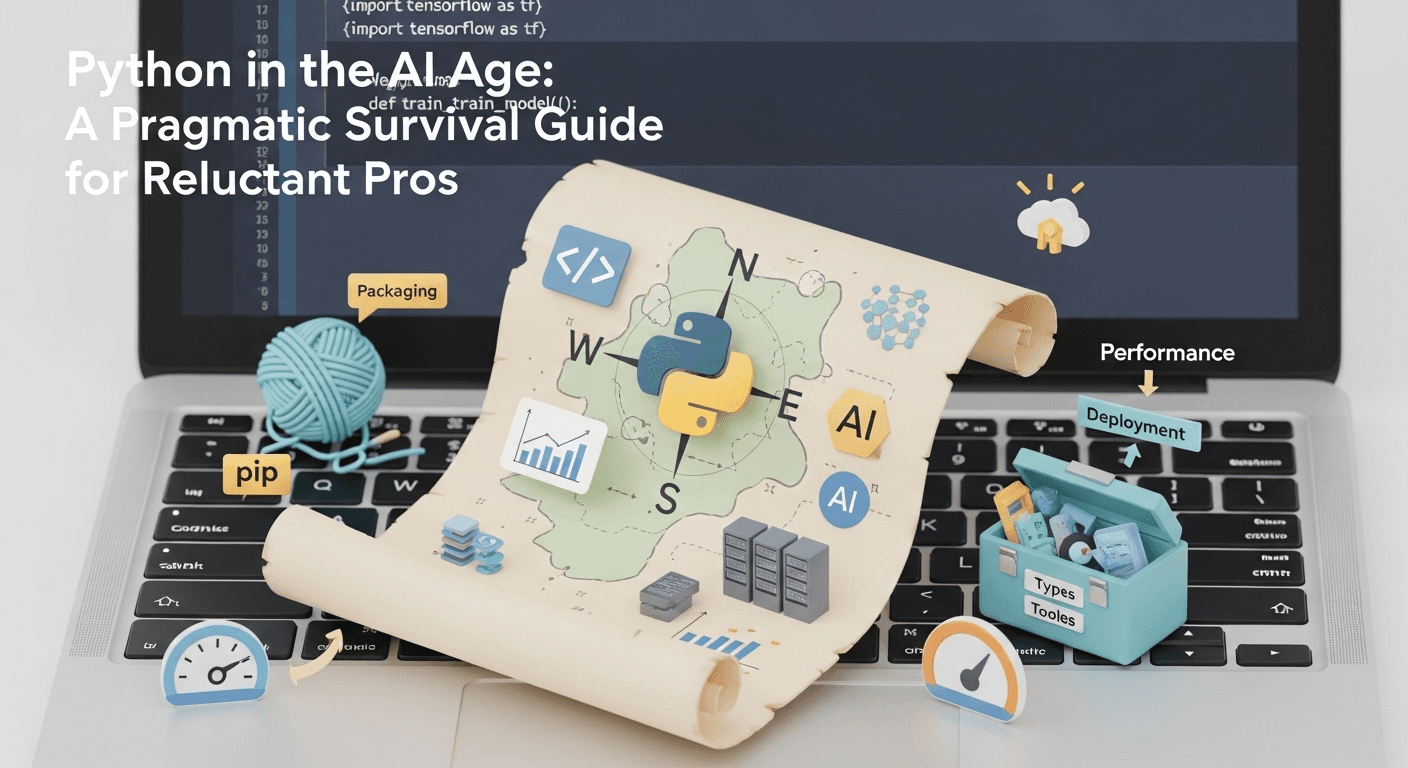
Python in the AI Age: A Pragmatic Survival Guide for Reluctant Pros
Introduction
If you’ve spent years mastering C, C++, Java, or Rust, looking at Python can feel like a step backward. Dynamic typing hides landmines, packaging can be a maze, and its concurrency model has a reputation. And yet, in 2025, Python is the most direct path from an idea to a functioning AI system. This guide is a practical, no-nonsense playbook for experienced developers who don’t love Python but need to ship AI features, fast.
We’ll keep it simple: Python isn’t perfect, but it’s the default interface to modern AI research, frameworks, and tools. You can mitigate the pain points with smart choices in tooling, architecture, and process. Think of this as a survival kit with opinionated defaults to help you build reliable, maintainable AI software without sacrificing your engineering standards.
Why Python Dominates AI (Even If You Don’t Love It)
- The AI Toolchain is Python-First: Major frameworks like PyTorch and TensorFlow expose their most complete, up-to-date APIs in Python. This dramatically increases the speed of experimentation and integration.
- The Ecosystem Compounds Your Effort: Hugging Face’s Transformers, dataset tools, vector stores, and serving stacks all work with Python out of the box. That means less glue code and more time building your product.
- It’s the Lingua Franca for AI Teams: Notebooks, experiments, tutorials, and model cards are almost always in Python. Even when you deploy in another language (like C++, Java, or Rust), the training and evaluation pipelines often remain in Python.
What’s Changed Recently: Python’s Big Upgrades
Python 3.13 quietly introduced two major capabilities that are crucial for performance and concurrency:
- Experimental Free-Threaded Mode: CPython now offers a build that can run without the Global Interpreter Lock (GIL), specifically for multi-core concurrency. It’s still experimental and not a drop-in replacement, but it’s a significant step forward for a no GIL Python 3.13.
- Experimental JIT Compiler: The CPython build system now includes an experimental Just-In-Time (JIT) compiler flag. It’s early days, but it signals a serious commitment to improving performance.
Meanwhile, the packaging story is becoming saner and faster:
- Ubiquitous
pyproject.toml: Modern projects usepyproject.tomlto declare build backends and metadata, which cleans up build isolation and dependency resolution. - Faster Installers: The Rust-based tool uv is a drop-in replacement for pip and virtualenv that is dramatically faster, and its adoption is growing quickly.
- Clearer Packaging Guidance: The Python Packaging User Guide now provides a coherent, canonical path for modern builds and releases.
Common Grudges and How to Neutralize Them
Grudge 1: Performance is Unpredictable
- Reality: Python’s interpreter and dynamic typing add overhead. Naive loops are slow. The solution is to avoid using Python for tight loops and instead rely on vectorized libraries, compilers, and foreign-function interfaces.
- What to Do:
- Vectorize with NumPy and use PyTorch for tensor-heavy math. Exploit
torch.compileto JIT-compile hot paths. - Compile critical extensions in C, C++, or Rust and bind them to Python using Cython or PyO3. This keeps Python’s ease of use while moving heavy lifting out of the interpreter.
- For inference, export your model to ONNX and run it with ONNX Runtime, which allows deployment in Python or other languages with hardware acceleration.
- Vectorize with NumPy and use PyTorch for tensor-heavy math. Exploit
Grudge 2: Concurrency and the GIL
- Reality: The GIL complicates multi-threaded, CPU-bound workloads. The fix is to use processes or async I/O instead of threads where appropriate.
- What to Do:
- Prefer
multiprocessingfor CPU-bound parallelism andasynciofor high-concurrency, I/O-bound servers. - Keep an eye on the free-threaded (no-GIL) build. It’s an important development for the future of CPU-bound parallel code in Python.
- Prefer
Grudge 3: Packaging and Environment Drift
- Reality: Unmanaged virtual environments and ad-hoc
pipusage lead to dependency conflicts and non-reproducible builds. - What to Do:
- Standardize on uv for its speed and simplicity in Python packaging. Use Poetry for a more integrated workflow that includes dependency locking, versioning, and publishing.
- Use
pipxfor global CLI tools likeblack,ruff, andpre-committo keep them isolated from your project environments. - Lock dependencies, pin Python versions, and bake everything into containers for CI/CD to ensure reproducible artifacts.
Grudge 4: Dynamic Types Hide Bugs
- Reality: You can achieve Java-level safety in Python with type hints and static analysis, but only if you enforce them.
- What to Do:
- Add type hints to your code and run mypy or pyright in your CI pipeline. Fail builds on type errors.
- Validate runtime data with Pydantic models to catch invalid inputs at your application’s boundaries.
Grudge 5: Shipping Python Applications is a Mess
- Reality: Deploying Python apps, especially on desktops or embedded systems, can be challenging. Use the right tool for the job.
- What to Do:
- For services: Containerize and deploy behind a typed API using FastAPI with gunicorn/uvicorn.
- For native executables: Use PyInstaller to bundle the interpreter and dependencies into a single binary per platform.
- For cross-language needs: Export models to ONNX or call Python from Rust/Java/C++ only when absolutely necessary.
A 2025-Ready Python Stack for AI
This stack is designed for fast feedback during research, strong safeguards during implementation, and predictable deployments. Here are our recommended Python best practices 2025.
-
Environments & Dependency Management
- Use uv: It creates virtual environments, installs dependencies, and replaces pip/pip-tools/virtualenv in a single, fast binary. Common commands include
uv venv,uv pip install, anduv pip compile. - Alternative: Use Poetry if you want project metadata, versioning, and publishing workflows managed through
pyproject.toml.
- Use uv: It creates virtual environments, installs dependencies, and replaces pip/pip-tools/virtualenv in a single, fast binary. Common commands include
-
Linting, Formatting, & Pre-Commit
- Ruff: Use this all-in-one linter, formatter, and import sorter. It’s incredibly fast and reduces tool fatigue.
- Black: An excellent option for opinionated, consistent formatting. Run both via pre-commit hooks.
- Use
pipxto install these global tools to avoid polluting project environments.
-
Types & Data Validation
- mypy or pyright: Run in CI with strict mode enabled for critical modules to catch errors early.
- Pydantic: Define explicit data schemas for APIs, configuration, and data transfer objects to validate data at runtime.
-
Web & Service Layer
- FastAPI: The go-to for building typed, async-first microservices. It integrates seamlessly with Pydantic and auto-generates API documentation.
- Streamlit: A great choice for building internal dashboards and demos quickly.
-
Model Development & Performance
- PyTorch: The default for both research and production. Use
torch.compileto accelerate model code without rewriting it. - Hugging Face Transformers: The essential library for transfer learning with a massive model zoo.
- ONNX Runtime: For high-performance inference, export models to ONNX and run them anywhere—Python, C++, Java—with hardware acceleration.
- PyTorch: The default for both research and production. Use
-
High-Performance Data Processing
- Polars: Use this powerful DataFrame library when pandas becomes a bottleneck. It’s columnar, parallelized, and optimized for performance.
-
Packaging & Releasing Libraries
- Use
pyproject.tomlwith a modern build backend likehatchlingorsetuptools. Avoid legacysetup.pyfiles.
- Use
A Practical Workflow to Copy
Project Bootstrap:
“`bash
mkdir my-ai-project && cd my-ai-project
uv venv
source .venv/bin/activate
uv pip install fastapi uvicorn ruff black mypy pydantic torch
Create your pyproject.toml with tool configurations
pre-commit install
“`
Service Skeleton:
* Define Pydantic schemas for API requests and responses.
* Build a FastAPI application with typed endpoints.
* Include /health and /metrics endpoints from day one.
Model Code:
* Start with a baseline model from the Transformers library.
* Apply torch.compile to performance-critical functions.
* Export the final model to ONNX and benchmark it with ONNX Runtime on your target hardware.
CI/CD:
* Run ruff, black --check, and mypy on every pull request.
* Build a container image and tag it with the Git SHA.
* Deploy to ephemeral environments for realistic API testing.
When to Use Python vs. Alternatives
Python is a great fit for:
* End-to-end AI workflows, from research to production serving.
* Data science, feature engineering, and batch processing jobs.
* Orchestration layers that integrate LLMs, vector databases, and retrieval pipelines.
* Rapid prototyping to find product-market fit quickly.
Consider mixing or switching languages for:
* Ultra-low latency or high-throughput systems with tight SLAs.
* CPU-intensive, multi-threaded workloads where free-threaded Python isn’t yet mature.
* Memory-constrained environments where you need tight control over garbage collection.
* Heavy client-side desktop or mobile applications.
In these cases, use Python for the model lifecycle but deploy the runtime in C++/Rust/Java or via ONNX Runtime.
Conclusion
You don’t have to love Python to use it effectively. In the age of AI, it’s the most efficient tool for connecting models, data, and users. By adopting a disciplined, modern stack—uv for environments, Ruff for code quality, mypy and Pydantic for safety, FastAPI for services, and ONNX Runtime for deployment—you can deliver production-grade systems without compromising on performance. The grudges are real, but so are the solutions. Treat Python as your high-level orchestrator and delegate performance-critical code to compiled languages. This approach gives you the best of both worlds: AI velocity and systems reliability.
FAQs
Q1: Does Python 3.13 finally remove the GIL?
No, not by default. Python 3.13 introduces an optional, experimental build that runs without the GIL. The default CPython build still includes it.
Q2: Why should I use uv instead of pip?
uv is significantly faster and combines the functionality of pip, pip-tools, and virtualenv into a single tool, simplifying your workflow for Python packaging.
Q3: How do I get high performance without rewriting everything?
Start with vectorization and torch.compile. For the most critical bottlenecks, move hot loops to Rust/C++ or export your model to ONNX Runtime for accelerated inference.
Q4: What’s the simplest way to ship a reliable Python service?
Use FastAPI with Pydantic for typed APIs, containerize your application with locked dependencies, and enforce code quality with CI checks using Ruff and mypy.
Q5: I hate setup.py. Do I still need it?
No. Modern Python packaging uses pyproject.toml with a specified build backend. This is the standard for all new projects.
Thank You for Reading this Blog and See You Soon! 🙏 👋
Let's connect 🚀
Latest Insights
Deep dives into AI, Engineering, and the Future of Tech.
I Tried 5 AI Browsers So You Don’t Have To: Here’s What Actually Works in 2025
I explored 5 AI browsers—Chrome Gemini, Edge Copilot, ChatGPT Atlas, Comet, and Dia—to find out what works. Here are insights, advantages, and safety recommendations.
Read Article


