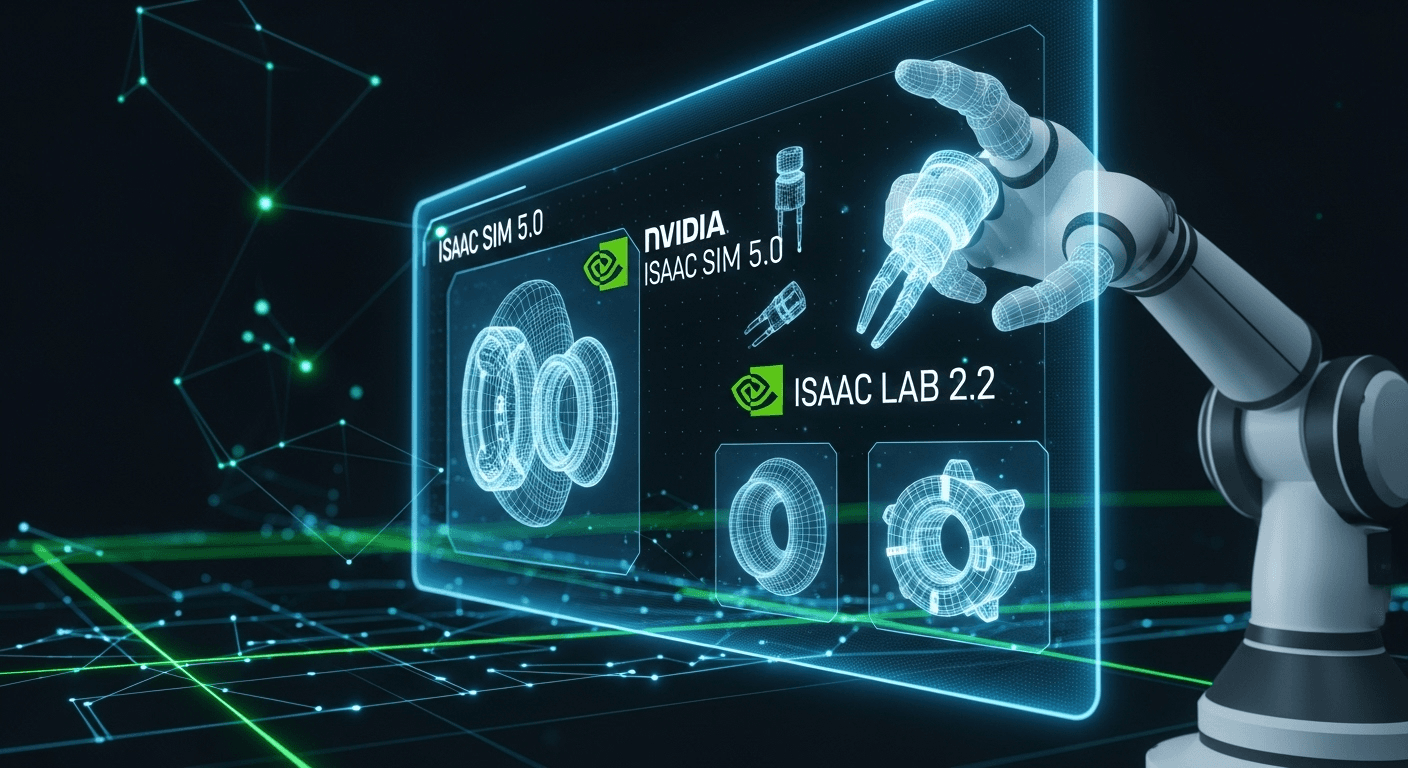
NVIDIA Isaac Sim 5.0 and Isaac Lab 2.2 Achieve General Availability: A Practical Guide for Robotics Teams
NVIDIA Isaac Sim 5.0 and Isaac Lab 2.2 Achieve General Availability: A Practical Guide for Robotics Teams
The general availability (GA) of NVIDIA Isaac Sim 5.0 and NVIDIA Isaac Lab 2.2 marks a significant milestone in the realm of robotics simulation, testing, and robot learning. This guide outlines the importance of the GA release, what you can expect, and how to start leveraging these tools effectively.
Why This Announcement Matters
High-fidelity simulation is essential for modern robotics. Whether it’s for warehouse automation, mobile robots, or intricate manipulation tasks, teams increasingly rely on virtual environments to prototype, test, and train their systems at scale. NVIDIA Isaac Sim delivers photorealistic rendering, precise physics, and enriched sensor models, all rooted in NVIDIA Omniverse, while Isaac Lab simplifies workflows for robot learning, including reinforcement and imitation learning.
With the GA status of Isaac Sim 5.0 and Isaac Lab 2.2, robotics teams can access a reliable release that emphasizes stability, performance, and ecosystem readiness. In practical terms, GA facilitates planning of production projects, alignment of toolchains across teams, and sets expectations for consistent support and updates, signaling many organizations to transition from pilot to production.
Overview of Isaac Sim and Isaac Lab
Isaac Sim at a Glance
Isaac Sim is a cutting-edge robotics simulator built on NVIDIA Omniverse and OpenUSD, featuring sophisticated physics simulation thanks to NVIDIA PhysX. It offers realistic sensor simulation, scalable environments, and robust APIs for seamless integration with robotics frameworks like ROS 2. By utilizing RTX GPUs, Isaac Sim supports photorealistic rendering and advanced sensor effects vital for perception and planning research.
- Developed on Omniverse and OpenUSD for interoperable digital twins (Omniverse and OpenUSD).
- Real-time physics accuracy provided by NVIDIA PhysX (PhysX).
- Photorealistic rendering and ray-traced sensor effects accelerated by RTX technology.
- Deep integration with ROS 2 for workflows involving perception, manipulation, and navigation (ROS 2).
- Extensive Python APIs and extensions for customized assets, behaviors, and pipelines (Isaac Sim Docs).
Isaac Lab at a Glance
Isaac Lab is NVIDIA’s dedicated robot learning framework that enhances Isaac Sim to train and evaluate policies at scale. It emphasizes vectorized simulation, reproducible pipelines, and practical tools for reinforcement learning, imitation learning, and sim-to-real transfer. Teams leverage Isaac Lab to generate synthetic data, design training curricula, and automate training experiments with popular deep learning frameworks.
- Vectorized environments for parallel training and evaluation.
- Compatibility with notable deep learning frameworks like PyTorch.
- APIs supporting domain randomization, curriculum learning, and policy evaluation.
- An open-source repository featuring examples and reference tasks (Isaac Lab GitHub).
What GA Means for Robotics Teams
General availability represents more than just a version number. It denotes a production-ready release line designed specifically for improved stability, compatibility, and predictable updates. For robotics teams, this translates to reduced rework and enhanced confidence when scaling deployments.
- Stability and Support: GA releases prioritize reliability and long-term maintainability, making it safer for teams to standardize.
- Ecosystem Readiness: Broadened compatibility with ROS 2 packages, Omniverse extensions, and NVIDIA tools like Isaac ROS enhances end-to-end workflows (Isaac ROS).
- Performance: Enhanced utilization of RTX GPUs and increased simulation throughput accelerate training and testing speeds.
- Repeatability: Reproducible pipelines are simpler to maintain across CI, on-premise clusters, and cloud environments.
For up-to-date information and any breaking changes, refer to the official release notes for Isaac Sim and Isaac Lab:
Key Capabilities to Explore Today
High-Fidelity Physics and Sensors
Isaac Sim integrates PhysX with RTX technology to provide high-fidelity physics and sensor models, which are crucial for validating perception and control systems where accuracy and timing are pivotal.
- Physics: Rigid bodies, articulated robots, collision detection, and constraints.
- Rendering: Photorealistic lighting and materials for realistic visual datasets.
- Sensors: Cameras, LiDAR, IMUs, depth sensors, and programmable noise models.
- Timing: Control over simulation step size, sensor rates, and synchronization.
OpenUSD and Omniverse Interoperability
By standardizing on USD for scenes and assets, teams achieve seamless handoffs between design, simulation, and deployment. You can incorporate CAD, robotics assets, and synthetic data pipelines, then connect them through Omniverse for collaborative workflows.
- USD-native scenes and assets for maintainable digital twins (OpenUSD).
- Collaboration and live synchronization across multiple applications using Omniverse (Omniverse).
- Extensible toolchains leveraging Omniverse Extensions and Python scripting.
ROS 2 Workflows Ready to Go
Isaac Sim is integrated with ROS 2 for processes involving perception, manipulation, and navigation. This includes publishing sensor topics, subscribing to commands, and constructing systems using familiar packages like MoveIt and Navigation 2.
- ROS 2 topics and services for cameras, LiDAR, and control (ROS 2).
- Manipulation: Combine with MoveIt for motion planning (MoveIt).
- Navigation: Test SLAM and path planning using Navigation 2 (Nav2).
- Utilize Isaac ROS packages for hardware-accelerated perception (Isaac ROS).
Data and Domain Randomization for Sim-to-Real
The success of sim-to-real performance relies on robust perception and control in varied environments. The tools provided by Isaac Sim and Omniverse Replicator enable data generation and domain randomization to rigorously test policies and create resilient models.
- Generate labeled images and point clouds with sensor-accurate effects.
- Randomize factors like lighting, textures, poses, and dynamics to mitigate overfitting.
- Produce synthetic datasets for tasks such as detection, segmentation, and pose estimation (Omniverse Replicator).
Isaac Lab 2.2 for Robot Learning
Isaac Lab accelerates robot learning by managing vectorized simulations, reproducible training loops, and evaluation suites. Teams can effectively explore reinforcement learning (RL) for intricate manipulation, mobile robot control, and multi-agent scenarios without the need to reconstruct their existing setups.
Core Strengths for RL and Beyond
- Vectorized Environments: Execute numerous simulated robots in parallel to quickly gather experience and reduce training times.
- Flexible APIs: Customize observation spaces, rewards, resets, and curriculum strategies to suit specific needs.
- Policy Training: Leverage popular deep learning frameworks like PyTorch while integrating with preferred RL libraries.
- Evaluation and Logging: Track metrics, perform ablation studies, and benchmark policies in uniform environments.
- Open Source: Start with examples and community tasks while contributing your own lessons learned (Isaac Lab GitHub).
For teams transitioning from older projects based on Isaac Gym, Isaac Lab offers a modern, USD-centric pathway forward while retaining the performance-focused methods that made Isaac Gym popular for large-scale training (Isaac Gym).
Use Cases: From Digital Twins to Production Robots
Here are some practical scenarios where the GA releases can catalyze progress:
1. Robotic Manipulation and Assembly
- Prototype grippers and end-effector strategies using precise physics and contact modeling.
- Train and assess motion planning pipelines with MoveIt.
- Utilize synthetic datasets to enhance object detection, pose estimation, and tactile perception.
2. Mobile Robots in Warehouses and Factories
- Create expansive, dynamic environments featuring multiple robots and human agents.
- Evaluate SLAM, localization, and navigation policies incorporating realistic sensor noise and occlusions.
- Validate safety zones, traffic rules, and recovery behaviors ahead of field deployment.
3. Inspection, Maintenance, and Digital Twins
- Craft authentic digital twins of production lines and facilities using USD.
- Simulate inspection tasks under varied lighting conditions, materials, and camera optics.
- Plan maintenance and optimize cycle times through virtual commissioning workflows.
4. Embodied AI and Policy Learning
- Execute parallel training across numerous simulated agents to investigate complex behaviors.
- Assess generalization through domain randomization and curriculum learning.
- Benchmark policies utilizing standardized test scenes and scenarios.
Planning Your Upgrade: A Practical Checklist
Transitioning to a GA release is an opportune moment to refine your toolchain. Use the following checklist to reduce surprises:
Environment and Dependency Hygiene
- Align driver and CUDA versions according to the official support matrix for the release.
- Verify Python version compatibility alongside third-party package versions.
- Pin container tags or Omniverse Launcher versions for consistency.
- Create distinct environments for development and CI to identify dependency shifts early.
Project Assets and USD Schemas
- Back up your USD assets and evaluate schema compatibility with the new simulator.
- Inspect material and sensor definitions for any rendering and performance changes.
- Standardize naming and unit conventions to eliminate scene integration issues.
ROS 2 Integration and Middleware
- Review ROS 2 nodes, topics, and QoS profiles to ensure they align with simulator defaults.
- Smoke-test MoveIt and Navigation 2 pipelines thoroughly with simulated sensors.
- Align message types and TF tree conventions to prevent edge-case desynchronization.
Performance and Determinism
- Benchmark essential scenes to quantify frame time, physics step consistency, and sensor throughput.
- Document seeds and configurations for reproducible training and evaluation runs.
- Monitor GPU memory and bandwidth in scenarios with multiple robots or cameras.
For further details, consult the official release notes and migration guidance that will be updated for the GA versions: Isaac Sim Release Notes and Isaac Lab Releases.
Getting Started Quickly
Option A: Omniverse Launcher
- Install or update the Omniverse Launcher for your platform (Omniverse).
- Navigate to Isaac Sim, select the GA version, and proceed with the installation.
- Open sample scenes to ensure rendering, physics, and sensors function as intended.
Option B: Containers via NVIDIA NGC
- Retrieve the Isaac Sim container matching the GA tag from NGC (NGC Isaac Sim).
- Mount your USD assets and configure for display or operate in headless rendering mode.
- Integrate with your CI system to execute regression tests on each commit.
Isaac Lab Setup
- Clone the Isaac Lab repository and follow the setup instructions found on the Isaac Lab GitHub.
- Run a provided example to validate the functionality of vectorized environments and training loops.
- Gradually adapt your tasks, rewards, and observation spaces as necessary.
Tip: Keep your project-specific configurations under version control, and export environment manifests (such as container tags, driver versions, and Python requirements) to ensure reproducibility across teams.
Performance Tuning: Maximizing GPU Output
Simulation and training tasks scale optimally on modern RTX GPUs, but careful tuning can yield significant improvements in throughput and latency. Consider implementing these practical strategies:
- Utilize headless or offscreen rendering during extensive training jobs.
- Adjust physics step sizes and solver iterations according to your specific requirements.
- Batch sensor rendering while calibrating resolution and FPS to align with policy demands.
- Monitor CPU-GPU data transfers and minimize synchronization points.
- Distribute vectorized environments across multiple GPUs if your framework allows it.
For efficient data generation tasks, Omniverse Replicator provides programmable control over cameras, lighting, and annotations, facilitating efficient parallelization in the same environment (Replicator).
Interoperability: Connecting with Your Robotics Stack
One of the key advantages of Isaac Sim and Isaac Lab is their wide interoperability throughout the robotics ecosystem. This compatibility simplifies the reuse of assets and ensures that your simulation infrastructure can adapt as your hardware evolves.
- ROS 2: Publish and subscribe to standard topics, repurpose existing nodes, and test TF trees and QoS in real-time (ROS 2).
- MoveIt: Validate motion planning and collision-checking workflows (MoveIt).
- Navigation 2: Test planners, behaviors, and SLAM in intricate layouts (Nav2).
- Isaac ROS: Deploy hardware-accelerated perception and stereo processing on NVIDIA devices (Isaac ROS).
- USD Pipelines: Exchange scenes and assets with DCC tools and digital twin platforms using OpenUSD (OpenUSD).
Best Practices for Sim-to-Real Success
Bridging the gap between simulation and real-world applications is an ongoing process. The following practices can enhance transfer quality and reliability:
- Calibrate sensors and robot kinematics in simulation to closely match your hardware.
- Model friction, mass, and compliance accurately; minor errors can escalate.
- Utilize domain randomization to rigorously test policies across variations in lighting, textures, and dynamics (Domain Randomization).
- Gather a small sample of real-world data to validate and optimize learned models.
- Track sim-to-real metrics and maintain a changelog as assets and policies evolve.
Security, Licensing, and Governance
As simulation plays an integral role in production workflows, it’s essential to treat it with the same caution as any other critical system:
- Utilize vetted containers and verify checksums for any downloaded assets.
- Restrict network access for training clusters and implement least-privilege access.
- Keep track of licenses associated with commercial assets used in your USD scenes.
- Maintain software bills of materials (SBOM) and versioned manifests for compliance and audits.
Where to Learn More
The official documentation and release notes provide authoritative information on features, fixes, and compatibility. For tutorials and community examples, check out the official docs in conjunction with open-source repositories and ROS 2 ecosystem resources.
- NVIDIA Isaac Sim Product Page
- Isaac Sim Documentation
- Isaac Lab GitHub
- ROS 2 Documentation
- MoveIt and Nav2 for planning and navigation.
- Omniverse Replicator for synthetic data.
- OpenUSD for interoperability in scenes and assets.
- NGC Isaac Sim Containers for containerized deployments.
Conclusion
The general availability of Isaac Sim 5.0 and Isaac Lab 2.2 provides robotics teams with a robust, high-performance foundation for simulation and robot learning. Whether you’re focused on constructing digital twins, launching large-scale policy training, or validating ROS 2 integrations, these GA releases offer a reliable route from prototype to production. Start by aligning environments and dependencies, then work on small, quantifiable goals to build trust in sim-to-real transitions. With the backing of USD interoperability, powerful ROS 2 integration, and GPU acceleration, this platform is poised to elevate your upcoming robotics projects to new heights.
FAQs
What does GA imply for Isaac Sim 5.0 and Isaac Lab 2.2?
General availability signifies a production-ready release line, emphasizing stability, compatibility, and predictable updates. It is the ideal version for most teams to standardize on for new projects, except in cases where legacy issues apply.
Is it necessary to have RTX GPUs to run Isaac Sim?
While Isaac Sim can function on non-RTX hardware, utilizing RTX GPUs greatly enhances rendering, ray-traced sensors, and overall performance. For optimal fidelity and speed, RTX-class GPUs are recommended.
How does Isaac Lab differ from Isaac Gym?
Isaac Lab expands upon the insights gained from Isaac Gym by offering a modern, USD-focused framework that integrates seamlessly with Isaac Sim and Omniverse. It emphasizes vectorized environments, reproducibility, and ease of integration with standard robotics tools.
Can I utilize Isaac Sim with ROS 2 Humble or newer versions?
Yes, Isaac Sim is compatible with ROS 2, and many teams operate with Humble or more recent distributions. Always verify the official release notes for version-specific compatibility and optimal middleware settings.
How can I scale training across various GPUs or machines?
Scale with vectorized environments in Isaac Lab and your preferred distributed training framework. Store assets in shared locations, pin container and driver versions, and analyze GPU usage to effectively balance rendering and policy updates.
Sources
- NVIDIA Isaac Sim – Product Page
- NVIDIA Isaac Sim – Documentation
- NVIDIA Isaac Sim – Release Notes
- NVIDIA Isaac Lab – GitHub
- NVIDIA Isaac Lab – Releases
- NVIDIA Omniverse – Overview
- OpenUSD – Official Site
- NVIDIA PhysX – SDK
- Omniverse Replicator – Overview
- Omniverse Replicator – Domain Randomization
- ROS 2 – Documentation
- MoveIt – Official Site
- Navigation2 – Official Docs
- NVIDIA NGC – Isaac Sim Container
- NVIDIA Isaac Gym – Overview
Thank You for Reading this Blog and See You Soon! 🙏 👋
Let's connect 🚀
Latest Insights
Deep dives into AI, Engineering, and the Future of Tech.
I Tried 5 AI Browsers So You Don’t Have To: Here’s What Actually Works in 2025
I explored 5 AI browsers—Chrome Gemini, Edge Copilot, ChatGPT Atlas, Comet, and Dia—to find out what works. Here are insights, advantages, and safety recommendations.
Read Article


