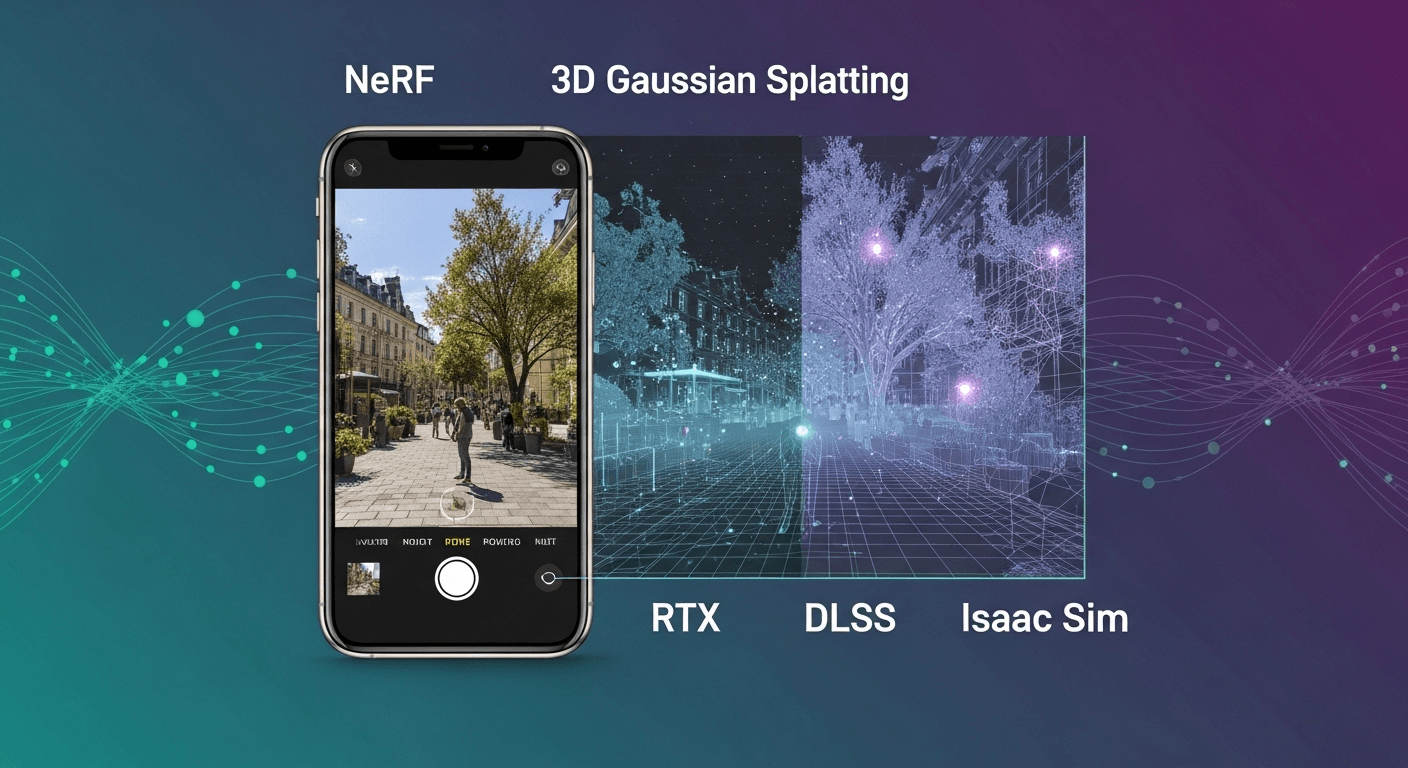
From Phone Shots to Real-Time Simulations: Instantly Rendering Real-World Scenes
From Phone Shots to Real-Time Simulations: Instantly Rendering Real-World Scenes
Capturing real-world locations with a smartphone and transforming them into interactive simulations used to be a lengthy process, often involving days of processing and manual adjustments. Thanks to advancements in neural rendering techniques and modern GPU technology, we can now transition from quick captures to smooth, real-time rendering in mere minutes. This capability allows us to utilize these scenes for robotics, digital twins, and large-scale training scenarios.
Why Instant Rendering Matters for Simulation
In the realm of simulation, speed and realism are essential. The quicker we can translate a real-world environment into a simulation, the more scenarios we can test, models we can train, and informed decisions we can make. Robotics teams can efficiently prototype navigation in actual warehouse settings, developers of autonomous vehicles can rehearse edge cases, and creators can preview product placements in real locations. A shorter capture-to-simulation cycle means more opportunities for learning.
Two groundbreaking technologies have made this rapid transformation possible: Neural Radiance Fields (NeRF) and 3D Gaussian Splatting (3DGS). Both techniques enable the reconstruction of scenes from standard photos or videos, rendering new views in photorealistic quality, all powered by modern GPUs. NeRF introduced the concept of view synthesis from limited captures, while 3DGS has made it possible to achieve interactive frame rates on a single GPU. Coupled with open standards like USD and GPU technologies like DLSS, these methods create an efficient pathway from the real world to responsive simulations without prolonged cleanup efforts.
What Does “Instant” Really Mean?
When we talk about “instant” in this context, it encapsulates two key aspects:
- Fast Reconstruction: The time needed to fit a scene model on a modern GPU can range from seconds to a few minutes, depending on the size of the scene and the quality of the capture.
- Interactive Rendering: Achieving smooth navigation at frame rates of tens to hundreds of frames per second during inspection or simulation, while maintaining predictable memory usage.
Instant Neural Graphics Primitives (instant-ngp) demonstrated that NeRF training could be reduced from several hours to mere seconds on an RTX GPU using an innovative multi-resolution hash encoding combined with CUDA kernels. 3D Gaussian Splatting later showcased real-time view synthesis by modeling the scene as millions of anisotropic Gaussians, rasterized efficiently on the GPU. Both methods are now commonly employed in research and practical tools, supported by open-source implementations and active communities.
Key References: instant-ngp and 3D Gaussian Splatting.
Overview of Essential Tools
- Neural Radiance Fields (NeRF): This method learns a continuous function that provides color and density for any 3D point and viewing angle, making it ideal for creating photorealistic views from sparse images. The original NeRF paper by Mildenhall et al. and the accelerated instant-ngp offer detailed insights.
- 3D Gaussian Splatting (3DGS): This technique fits a collection of 3D Gaussians with color, opacity, and orientation that enables rapid rendering through screen-space splatting. It typically outperforms classic NeRF in rendering speed and is easier to optimize for performance. See Kerbl et al.
- Photogrammetry (Traditional): This method reconstructs meshes and textures using Structure-from-Motion and Multi-View Stereo techniques (like COLMAP). It provides explicit geometry suitable for collision detection but can be slower and may require cleanup. More details can be found on COLMAP.
- USD and Omniverse: The Universal Scene Description (USD) standard is crucial for assembling intricate 3D scenes. NVIDIA’s Omniverse and Isaac Sim utilize USD for realtime composition, simulation, and rendering. Refer to OpenUSD and Omniverse documentation for further information.
- RTX and DLSS: Hardware-accelerated ray tracing and super-resolution technology help maintain high frame rates during interactive exploration and simulations. Learn more about DLSS.
A Practical Workflow: From Capture to Interactive Simulation
This workflow focuses on speed and quality while keeping the steps manageable. Feel free to adjust components based on your specific needs and constraints.
1. Capture Your Scene
The effectiveness of neural reconstruction heavily relies on the quality of your captures. Use a smartphone, a mirrorless camera, or a drone for larger areas. Aim for consistent exposure, uniform coverage, and minimize motion blur.
- Follow a smooth path and circle around points of interest. Ensure that adjacent frames overlap by about 70% to improve camera pose estimation.
- Record 4K video at 30 or 60 fps, then extract frames at 2 to 5 fps to reduce redundancy. Most NeRF/3DGS pipelines effectively process between 50 to 300 images for room-scale reconstructions.
- Avoid capturing moving people, flickering lights, or highly reflective surfaces when possible. If the scene is dynamic, capture in segments or plan to mask any motion during preprocessing.
- Document the approximate scale. Using a measuring tape or including a known-sized object in the frame will assist in aligning the reconstruction to real-world dimensions later on.
2. Preprocess and Recover Camera Poses
Both NeRF and 3DGS require accurate camera intrinsics and extrinsics. Numerous tools can estimate these parameters automatically.
- Frame Extraction: Utilize ffmpeg to sample frames from your recorded video. For instance:
ffmpeg -i input.mp4 -vf fps=3 frames/frame_%04d.png. - Pose Estimation: Use COLMAP to recover camera parameters and sparse 3D point data. Many NeRF and 3DGS toolkits integrate COLMAP or have built-in pose estimating functions.
- Undistortion: If you captured the scene with a wide-angle lens, undistort the frames using COLMAP or OpenCV. Reliable intrinsics enhance convergence.
- Scale Alignment: If you recorded a reference distance, establish the scale upon importing to your simulator to ensure that gravity and physics behave accurately.
3. Reconstruct Using Instant Methods
Depending on your requirements, choose between instant-ngp (NeRF) and 3DGS:
- instant-ngp (NeRF): Enables fast training with high visual fidelity, particularly effective for view-dependent effects. Open-source reference: Muller et al. along with community and NVIDIA Research implementations on GitHub.
- 3D Gaussian Splatting: Offers rapid rendering and intuitive level-of-detail management through point budgets. Ideal for real-time navigation at high resolutions. See Kerbl et al.
For a typical execution on a recent RTX GPU for a room or small outdoor area:
- instant-ngp: Expect tens of seconds to a few minutes for a coarse to acceptable result; longer processing will be needed for maximum quality.
- 3DGS: Generally takes a few minutes for fitting and refinement while allowing for interactive viewing during or after optimization.
Keep an eye on GPU memory usage. Both methods typically fit within 8 to 24 GB for room-scale reconstructions. If you encounter memory issues, you may need to reduce the number of images or downscale the frames.
4. Export to a Simulator-Friendly Format
Interactive simulators and digital twin platforms largely utilize USD to compile scenes and manage assets. Here are some options for integrating neural reconstructions into that ecosystem:
- Use USD-Native Importers: Many tools and extensions can import NeRF or 3DGS content directly or using converters, wrapping them within a USD prim. Check your toolchain for importers and viewers that can package your neural scenes for USD applications. See Omniverse documentation for current guidelines.
- Bake to Mesh and Textures: If you require traditional geometry for physics simulations, you can convert a NeRF or 3DGS into a triangle mesh with PBR textures. While this method may be slower and could lose some view-dependent effects, it provides explicit surfaces and materials. Common approaches include marching cubes over density or Poisson reconstruction over a dense point cloud, followed by texture baking.
- Hybrid Approach: Retain the neural representation for visual purposes and create simple collision volumes (like boxes, cylinders, or convex hulls) for physics interactions. This yields high visual fidelity while maintaining consistent simulation performance.
5. Assemble the Scene in USD and Omniverse or Isaac Sim
Once you possess a USD asset or a baked mesh, you can incorporate it into a simulation-ready environment:
- Compose with USD: Strategically utilize USD layers and references to structure geometry, materials, and physics. Refer to USD prelim spec for guidance.
- Establish Real Scale and Units: Consistently use meters as the unit of measurement in alignment with your capture scale.
- Add Physics: For Isaac Sim, integrate colliders and rigid bodies for elements that interact with agents. Employ simplified proxies to ensure that the physics step remains efficient. Check Isaac Sim documentation for more details.
- Lighting and Environment: Begin with an HDRI dome light that resembles your capture lighting, then adjust according to simulator requirements. For consistent synthetic data generation, opt for fixed, reproducible lighting setups.
- Materials: If using baked PBR textures, ensure the roughness/metalness channels and gamma settings are verified. If using neural assets wrapped in USD, adhere to the extension’s protocols for shaders and visualization.
6. Render Interactively Using RTX and DLSS
For real-time exploration and training operations, it’s crucial to aim for stable frame rates:
- Renderer Choice: Rasterization is efficient for Gaussian Splatting viewers. For baked meshes, you can opt for hybrid real-time RTX or path tracing methods to enhance realism through reflections and soft shadows.
- DLSS: Leverage DLSS to upscale from a lower internal resolution without compromising detail and maintaining motion stability. This can effectively double your frame rates in GPU-limited environments. Explore more at DLSS.
- Level of Detail: For 3DGS, limit the number of splats and implement frustum culling. In NeRF, adjust sampling rates and step sizes to stay within your frame budget.
Choosing Between NeRF, 3DGS, and Meshes
No one method is superior in every context. Consider this decision guide:
- For Highest Interactivity and Scalable Performance: Opt for 3D Gaussian Splatting.
- For Strong View-Dependent Effects from Sparse Images: Choose Instant-ngp (NeRF) or similar rapid NeRF variants.
- For Precise Collisions and CAD-Like Surfaces: Convert to mesh or employ photogrammetry for explicit geometry reconstruction, then apply PBR materials.
- For Rapid Prototyping with Future Refinement: Initiate with 3DGS for quick integration, followed by selective baking or redesigning essential interactive elements as needed.
In robotics simulation, a hybrid approach is frequently employed: neural visuals for context and realism, supplemented by simplified proxy geometry for physics and navigation. This strategy balances GPU usage between rendering and the physics or reinforcement learning processes. Refer to Isaac Sim workflows for illustrations of how to compose environments and agents using USD.
Quality, Performance, and Evaluation
Assessing Visual Quality
- Objective Metrics: Analyze PSNR and SSIM between held-out viewpoints and the re-rendered frames for fundamental consistency checks. Although these metrics correlate imperfectly with human perception, they are effective in identifying significant issues.
- Perceptual Checks: Look for issues such as geometry inconsistencies, texture smearing, or flickering as you navigate the scene. Reflective and delicate objects commonly present challenges.
- Lighting Consistency: The lighting in simulated environments seldom matches that of the original capture. Consider whether to maintain the baked appearance or adjust the lighting to sync with your simulation.
Measuring Performance
- GPU Time: Keep track of frame times at resolutions of 1080p and 1440p. Experiment with DLSS Quality and Balanced modes to establish an optimal performance margin for your simulation loop.
- Memory: Monitor VRAM usage alongside the number of Gaussians or NeRF samples. If nearing your GPU capacity, consider downscaling input image sizes or reducing point counts.
- Physics Budget: Ensure that both physics and agents remain stable by maintaining a consistent render budget. Many simulations operate physics at fixed intervals, so avoiding significant fluctuations in rendering times is advisable.
Example Scenario: A Warehouse Aisle for Robotics Testing
Imagine you need a practical testing environment for a mobile robot equipped with a depth camera and 2D LiDAR:
- Start by capturing a 20-meter aisle using a handheld phone, moving in figure-eight patterns around shelving and key features.
- Extract approximately 200 frames and apply COLMAP for pose recovery. Verify coverage utilizing a sparse point cloud.
- Fit a 3DGS model for efficient iteration, inspecting for gaps that may require a second capture session to address.
- Export your results as a USD-wrapped neural asset or bake a low-LOD mesh for collision boundaries.
- In Isaac Sim, create simplified box colliders for shelves, establish robot spawn points, and configure lighting to mirror your lab environment.
- Enable DLSS in Balanced mode and limit the splat count to achieve a stable 60 fps on your GPU.
- Execute navigation, synthetic sensor generation, and data logging within the operational loop.
This hybrid approach grants realistic visuals while ensuring that physics and planning remain deterministic and swift.
Common Pitfalls and How to Avoid Them
- Motion Blur and Low Light: Results in poor feature matches and blurry reproductions. Capture with adequate lighting or higher shutter speeds to mitigate this.
- Specular and Transparent Surfaces: Objects like mirrors, glass, and water can complicate both NeRF and 3DGS processes. Consider masking these elements or simplifying their representation using basic geometry with PBR materials.
- Scale Drift: Without a known reference, your scene might import inaccurately sized. Insert a checkerboard or include a measured object.
- Dynamic Objects: Moving individuals and vehicles may cause ghosting or double geometry issues. Capture in quieter moments or segment out moving elements during preprocessing.
- Overfitting to One Exposure: Vary your exposure during capture or normalize images to avoid banding when lighting fluctuates in the simulator.
Ethics, Privacy, and Safety Considerations
When scanning real-world locations, always prioritize privacy and permissions. Avoid capturing faces or license plates without proper consent. If you intend to share or publish reconstructions, make sure to anonymize sensitive details or secure written approval from property owners. Be mindful of safety during capture, especially in industrial environments.
The Future of Neural Scene Rendering
The field of neural scene representations is rapidly advancing. Ongoing research is focusing on dynamic NeRFs for time-varying environments, improved integration with physics simulations, and direct relighting possibilities. Concurrently, USD is gaining prominence as the standard for complex 3D workflows, and simulation platforms are incorporating native support for neural assets alongside traditional meshes. Expect faster capture-to-simulation cycles, enhanced tools for authoring collisions and semantics, and tighter integration with synthetic data workflows.
Conclusion
Instantly rendering real-world scenes in interactive simulations has become viable with off-the-shelf tools and modern GPUs. With careful capture, the use of NeRF or 3D Gaussian Splatting for reconstruction, appropriate wrapping or baking for USD integration, and the application of RTX and DLSS to maintain high frame rates, creators can achieve remarkable results. For most applications, a combination of neural visuals and simplified physics proxies delivers the best outcomes, resulting in faster iteration cycles and more realistic testing environments with minimal friction.
FAQs
Can I achieve this using a laptop GPU?
Yes, for small to moderate scenes. An RTX 3060 or equivalent can manage room-scale reconstructions using instant-ngp or 3DGS, though expect longer fitting times and reduced splat counts compared to high-end desktop GPUs.
Is a depth sensor necessary?
No. Both NeRF and 3DGS can function solely with RGB images, although depth data can enhance performance in challenging scenes. Structure-from-Motion is sufficient for recovering camera poses from image matches.
How can I ensure accurate collisions?
Create proxy colliders for interactive objects, or bake a mesh from your neural scene and simplify it for better compatibility. Neural representations excel in visuals but aren’t designed for physical simulations.
Can I relight a NeRF or 3DGS scene?
Relighting is an area of ongoing research. While you can approximate this by combining baked lighting with additional lights in the simulator, baking to mesh and applying PBR materials is also feasible.
How do I handle very large outdoor scenes?
Divide expansive areas into smaller tiles, downscale input frames, and stream assets based on camera movement. Utilize DLSS to meet frame requirements and remove points outside the viewing frustum.
Sources
- Muller et al., Instant Neural Graphics Primitives with a Multiresolution Hash Encoding
- Kerbl et al., 3D Gaussian Splatting for Real-Time Radiance Field Rendering
- OpenUSD – Universal Scene Description
- NVIDIA Omniverse Documentation
- NVIDIA Isaac Sim Documentation
- COLMAP – Structure-from-Motion and Multi-View Stereo
- NVIDIA DLSS Technology Overview
- NeRF project page and resources
Thank You for Reading this Blog and See You Soon! 🙏 👋
Let's connect 🚀
Latest Insights
Deep dives into AI, Engineering, and the Future of Tech.

I Tried 5 AI Browsers So You Don’t Have To: Here’s What Actually Works in 2025
I explored 5 AI browsers—Chrome Gemini, Edge Copilot, ChatGPT Atlas, Comet, and Dia—to find out what works. Here are insights, advantages, and safety recommendations.
Read Article


