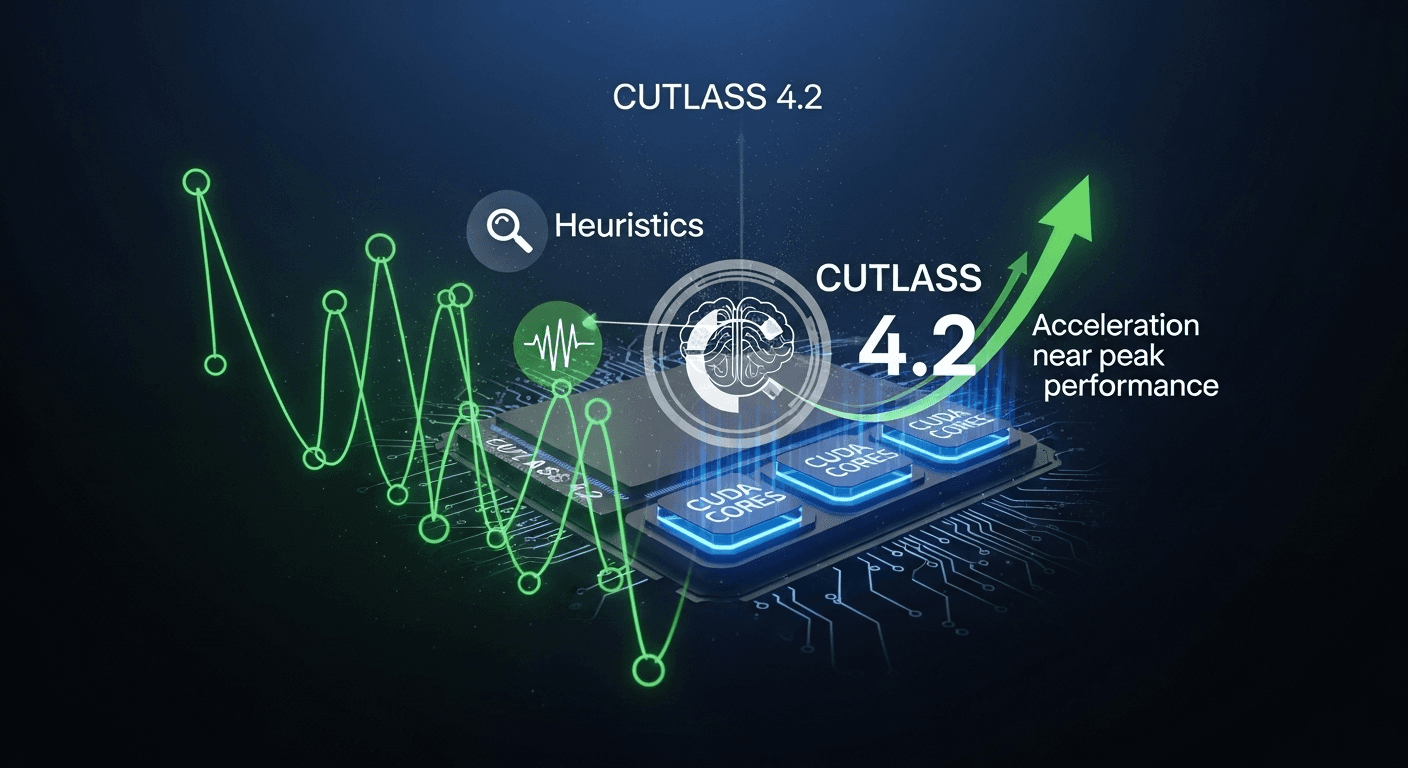
Enhanced GEMM Auto-Tuning for NVIDIA GPUs Using Heuristics and CUTLASS 4.2
Enhanced GEMM Auto-Tuning for NVIDIA GPUs Using Heuristics and CUTLASS 4.2
General matrix multiplication (GEMM) serves as a critical component in deep learning and high-performance computing. Achieving optimal performance on NVIDIA GPUs often involves selecting the most appropriate kernel from numerous options. While exhaustive profiling can provide solid solutions, it often comes at a high cost in terms of time and resources. In this guide, we will discuss how to expedite kernel selection by utilizing heuristics alongside the NVIDIA CUTLASS 4.2 toolkit, allowing you to achieve near-optimal performance without resorting to brute-force methods.
The Importance of GEMM Performance
GEMM performs the operation C = alpha*A*B + beta*C, and it plays a dominant role in the training and inference phases of modern neural networks, scientific simulations, and data analytics. On NVIDIA GPUs, GEMM can be accelerated with Tensor Cores, provided that the inputs meet the required precision and alignment standards. This can yield significant speedups compared to standard CUDA cores, particularly for FP16, BF16, and TensorFloat-32 (TF32) compute paths [NVIDIA Ampere/Hopper tuning guides].
However, selecting the best GEMM kernel isn’t straightforward. The optimal choice relies on various factors including input shapes (M, N, K), data types, layouts, GPU architecture, memory hierarchies, and epilogue operations (such as bias and activation). This complexity is why frameworks often employ auto-tuning. Yet, simple auto-tuning approaches may consume several minutes or even hours per workload, especially when dealing with extensive search spaces that cover diverse tile sizes, pipeline depths, and scheduling options.
The Drawbacks of Brute-Force Auto-Tuning
Exhaustive profiling evaluates each candidate kernel individually and measures its performance. While this guarantees a strong selection, it has its downsides:
- The search space can be vast, encompassing various tile shapes, thread block schedules, warp-level math instructions, and several pipeline stages and epilogues.
- High on-device time costs and potential overheads needed for cache warm-up and power state stabilization.
- Portability issues across different devices, driver versions, and library updates.
- Poor user experience if auto-tuning occurs during application startup.
To mitigate these issues, modern libraries increasingly integrate heuristics to streamline profiling needs. For instance, cuBLASLt features a heuristic API that suggests efficient algorithms based on problem descriptions, minimizing the need for extensive profiling [cuBLASLt]. Compiler-based frameworks like TVM and Triton also leverage cost models and curtailed searches to enhance tuning efficiency [TVM], [Triton].
Introducing CUTLASS 4.2
NVIDIA CUTLASS is a header-only CUDA C++ template library designed for high-performance GEMM and related operations. It offers essential building blocks along with pre-built kernels for various architectures, including Tensor Core paths spanning from Volta to Hopper GPUs. CUTLASS 4.x enhances support for recent architectures and memory operations and comes equipped with a powerful profiler and examples that can be adapted for heuristic-based selection [CUTLASS GitHub].
A key feature for auto-tuning in CUTLASS is its structured catalog of operations, offering metadata about supported layouts and alignments, as well as a reference profiler. This functionality simplifies the process of building heuristics that can filter and rank candidates before initiating timing measurements.
Implementing Heuristic Auto-Tuning
Heuristics consist of straightforward rules or lightweight models that can help narrow the search space to likely successful candidates. You can then optionally profile a concise, ranked shortlist to finalize your selection. An effective heuristic approach remains aware of both the hardware and problem characteristics.
1) Quick Eligibility Filters
- Check data type compatibility: prioritize Tensor Core kernels for FP16, BF16, or TF32 when shapes and alignments are appropriate [Ampere/Hopper guides].
- Ensure memory alignment: many high-throughput kernels necessitate 8- or 16-byte alignment for inputs. Candidates failing this need to be excluded.
- Consider problem layout: only evaluate kernels that match row-major versus column-major layouts to avoid unnecessary transpositions.
2) Shape-Aware Tiling
- Tall-skinny or wide-short GEMMs benefit from tailored tile shapes, e.g., larger M tile for tall-skinny types and larger N for wide-short structures.
- For smaller K values, favor fewer pipeline stages and smaller K-tiles to reduce latency. Conversely, for larger K values, deeper pipelines and larger K-tiles enhance data reuse.
- When both M and N are substantial, opt for tiles that strike a balance between occupancy and resource usage to maximize Streaming Multiprocessor (SM) throughput.
3) Tensor Core and Precision Considerations
- FP16/BF16: use TensorOp kernels with macro tile shapes that align with architecture capabilities (for example, 16x8x16 or 64×64 macro-tiles based on the SM version).
- FP32-heavy workloads: on Ampere and later, TF32 Tensor Cores can enhance FP32 GEMM performance where accuracy allows [TF32 overview].
- Integer GEMM: for int8 quantized inference tasks, select kernels that utilize DP4A or Tensor Cores with proper alignment and interleaving [integer math].
4) Occupancy and Resource Evaluations
- Estimate occupancy by analyzing registers, shared memory per block, and threads per Cooperative Thread Array (CTA). Discard kernels that might execute at low occupancy unless the tiles are optimal in other dimensions.
- Adhere to shared memory limits, especially on architectures where advanced features like Tensor Memory Access (TMA) increase shared memory pressure [Hopper in-depth].
5) Split-K and Epilogue Fusion
- For very large K or small M and N, Split-K can effectively distribute tasks across CTAs and enhance scaling. Prefer kernels with efficient reduction epilogues when K is large.
- Select epilogues that fuse bias addition, activation, or scaling to decrease additional memory passes [CUTLASS fused epilogues].
6) Lightweight Performance Models
- Utilize roofline-inspired criteria to determine if GEMM is compute-bound or bandwidth-limited based on arithmetic intensity. Choose larger tiles and deeper pipelines for compute-bound situations; prioritize higher occupancy and simpler tiles for bandwidth-bound scenarios [Roofline model].
- Consider L2/L1 traffic: optimize tiles to boost reuse and minimize global memory bytes per floating-point operation (FLOP), especially for larger problems.
Implementing Heuristics with CUTLASS 4.2
Using CUTLASS, you can create a candidate set from its operation catalog, apply the aforementioned heuristic rules, and optionally profile the best few options. The library provides a profiler and sample codes that illustrate how to instantiate, launch, and evaluate GEMM kernels.
Step-by-Step Implementation
- Query GPU specifications: obtain compute capability, SM count, shared memory per SM, and Tensor Core support using CUDA runtime APIs.
- Identify CUTLASS GEMM operations that align with your data types, layouts, and compute capabilities.
- Apply filters to eliminate candidates that do not meet alignment, layout, or resource criteria for your specific problem size.
- Rank candidates based on heuristic rules: boost Tensor Core kernels when applicable, prefer shape-aligned tiles, and estimate occupancy.
- Optionally profile the top N candidates (e.g., 3 to 8) to confirm the best performer.
- Cache the optimal configuration based on device type, data size, and layout.
Example Pseudo-Code
// Pseudo-code example of a heuristic-driven selector using CUTLASS metadata
struct GemmProblem { int M, N, K; DataType A, B, C; Layout aLayout, bLayout, cLayout; };

vector<Operation> enumerate_candidates(const GemmProblem& p, const DeviceProps& dev);
float estimate_intensity(const GemmProblem& p);
float estimate_occupancy(const Operation& op, const DeviceProps& dev);
bool meets_alignment(const Operation& op, const GemmProblem& p);

Operation pick_kernel(const GemmProblem& p, const DeviceProps& dev) {
  auto ops = enumerate_candidates(p, dev);
  vector<ScoredOp> shortlist;

  for (auto& op : ops) {
    if (!meets_alignment(op, p)) continue;
    if (!supports_layout(op, p)) continue;

    float occ = estimate_occupancy(op, dev);
    if (occ < 0.25f) continue; // prune low-occupancy options

    float score = 0.0f;
    if (op.uses_tensor_cores && tensor_core_eligible(p)) score += 3.0f;
    if (tile_matches_shape(op, p)) score += 2.0f;

    float intensity = estimate_intensity(p);
    if (intensity >= COMPUTE_BOUND_CUTOFF && op.pipeline_stages >= 3) score += 1.0f;
    if (intensity < COMPUTE_BOUND_CUTOFF && op.shared_memory_bytes <= SHMEM_BUDGET) score += 1.0f;

    shortlist.push_back({op, score, occ});
  }

  sort(shortlist.begin(), shortlist.end(), by_score_then_occ);

  // Optional: profile top K to finalize
  Operation best = shortlist.front().op;
  double best_ms = profile(best, p);
  for (int i = 1; i < min((int)shortlist.size(), 5); ++i) {
    double ms = profile(shortlist[i].op, p);
    if (ms < best_ms) { best = shortlist[i].op; best_ms = ms; }
  }
  return best;
}
Adapt the cutlass_profiler tool to validate your heuristic approach across common shapes and export results. In production scenarios, cache the final selection to avoid repeated tuning during user sessions.
Effective Heuristics in Practice
The following strategies have proven successful across various NVIDIA GPU generations:
- Default to Tensor Core kernels when conditions allow, and only revert to CUDA-core kernels if precision or alignment requirements call for it.
- Use 2 or 3 pipeline stages for small K values to minimize latency; increase pipeline stages as K grows to maintain main loop concurrency.
- Favor tiles that keep register usage below thresholds to avoid impacting occupancy or causing spills.
- Enable Split-K for large K values with modest M and N, but disable it for small problems where reduction overhead becomes significant.
- Select fused epilogues (such as bias and activation) whenever they align with the model layer to minimize unnecessary memory traffic.
These strategies align with the heuristics employed by cuBLASLt and compiler autotuners. For instance, cuBLASLt provides cublasLtMatmulAlgoGetHeuristic to retrieve a small set of promising candidates, often lowering or entirely removing the need to profile numerous algorithms [cuBLASLt]. Research and practical implementation around roofline models further supports the use of arithmetic intensity and memory traffic estimates as preliminary filters [Roofline model].
Validating Results and Preventing Regressions
Heuristics should undergo testing and refinement as rigorously as code. Here’s a straightforward strategy:
- Create a benchmark suite with representative shapes, including tall-skinny, square, and wide-short problems while varying K.
- Compare your heuristic shortlist against results from exhaustive profiling across a sample of shapes and hardware environments.
- Monitor accuracy versus speed: how often does the top pick match the exhaustive winner, and what is the average performance difference when it doesn’t?
- Version your policies according to architecture. New GPUs and library updates can change the optimal choices for tile shapes and pipelines.
- Incorporate runtime fallbacks: if the selected kernel fails due to resource constraints, automatically test the next candidate.
Deployment Guidelines
- Implement aggressive caching: store optimal selections keyed by device, data type, layout, and size categories to prevent redundant tuning.
- Pre-tune common shapes offline and provide a compact database with your application. Enhance this with on-device heuristics for unique dimensions.
- Allow an environment variable or configuration option to disable profiling for time-sensitive deployments.
- Consider cuBLASLt as a fallback for robust default performance without custom tuning, or as an independent check against your selections.
- Continuously monitor and log performance at runtime to identify regressions following driver or library updates.
Frequently Asked Questions
What is CUTLASS and how does it compare to cuBLAS?
CUTLASS is an open-source CUDA C++ template library that provides high-performance kernels along with building blocks for creating new operations. In contrast, cuBLAS and cuBLASLt are closed-source libraries that offer established BLAS routines with built-in heuristic selection. CUTLASS allows for customization and operation fusion, while cuBLASLt offers a robust default with minimal engineering effort.
Do heuristics eliminate the need for profiling?
Not completely. Heuristics reduce the number of candidates needing profiling dramatically. In many scenarios, they can allow you to skip profiling altogether while still achieving near-optimal performance. However, for performance-critical applications, profiling the best few candidates is still recommended.
How portable are heuristic policies?
Heuristic policies should be versioned according to the architecture and library version. Variations in shared memory, register file size, Tensor Core capabilities, and scheduler behavior can alter which kernels perform best. Maintaining separate profiles for major GPU architectures is advisable.
Can heuristics be applied to quantized int8 GEMM?
Yes, indeed. In addition to general rules, ensure that data alignment, interleaving, and accumulator precision match the intended operations. Many int8 paths on newer GPUs leverage Tensor Cores and greatly benefit from correct tiling and layout configurations.
Is there an easy method to validate my selections?
Absolutely. Compare your selections against cuBLASLt heuristic outcomes or run a limited subset through the CUTLASS profiler. If your selections consistently lag behind in performance, reassess the pruning criteria and occupancy thresholds.
Conclusion
Achieving auto-tuning efficiency does not have to rely on exhaustive profiling. By combining well-chosen heuristics with the features of CUTLASS 4.2, you can rapidly identify high-performance GEMM kernels across different data types and GPU architectures. Begin with fast eligibility checks, integrate shape-aware tiling and occupancy evaluation, and confirm your choices with either a brief profiling session or a trusted alternative. This approach leads to quicker startup times, reduced tuning overhead, and comparable performance to the best manually chosen kernels.
Sources
- NVIDIA CUTLASS GitHub repository
- NVIDIA cuBLASLt Matmul and heuristic selection
- NVIDIA Ampere Tuning Guide – Tensor Cores
- NVIDIA Hopper Architecture In-Depth
- NVIDIA Blog: TF32 for AI Performance
- NVIDIA Ampere Tuning Guide – Integer Arithmetic
- Williams et al., The Roofline Model
- Apache TVM AutoTVM and Auto-Scheduler Documentation
- Triton Tutorial: Autotuning Concepts
Thank You for Reading this Blog and See You Soon! 🙏 👋
Let's connect 🚀
Latest Insights
Deep dives into AI, Engineering, and the Future of Tech.

I Tried 5 AI Browsers So You Don’t Have To: Here’s What Actually Works in 2025
I explored 5 AI browsers—Chrome Gemini, Edge Copilot, ChatGPT Atlas, Comet, and Dia—to find out what works. Here are insights, advantages, and safety recommendations.
Read Article


